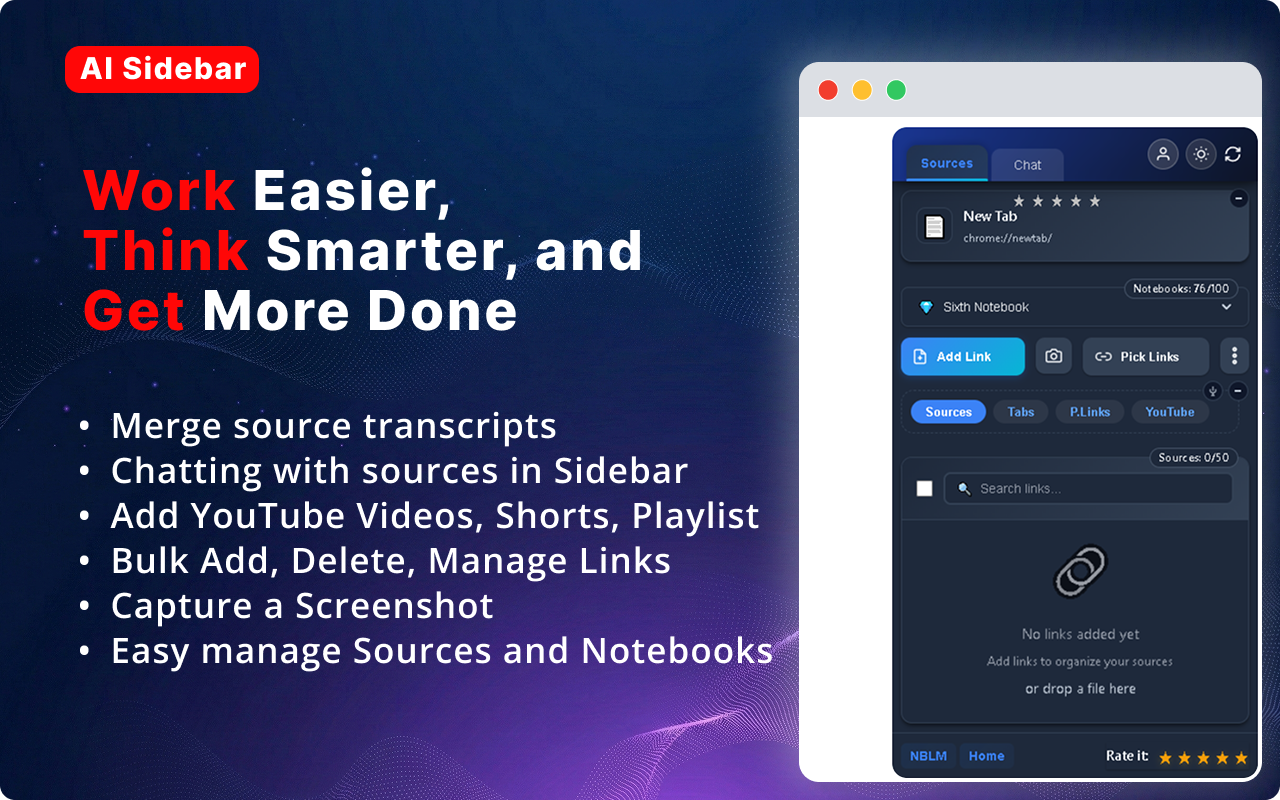
Import any web page, YouTube transcript, or file directly into Google NotebookLM. Chat with AI in a sidebar — without switching tabs or losing context.
Features
Everything you need to supercharge your NotebookLM workflow — from import to insights.
Scan any YouTube channel and easily add links split into playlists, podcasts, courses, and individual videos.
Get transcripts in editable doc, txt, and markdown formats — with or without timestamps. Merge or download individually.
One-click import of any link, screenshot, or file into your notebook. Add multiple links from a page at once.
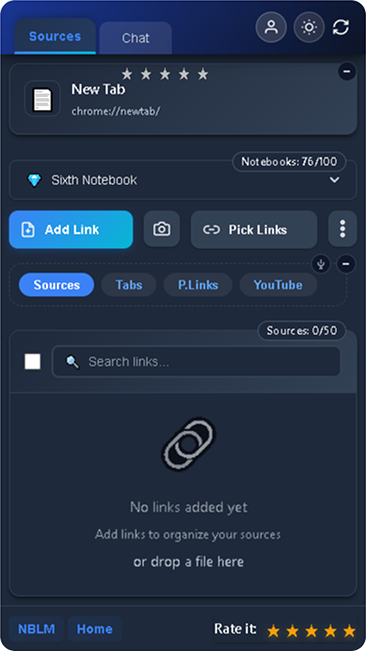
Chat with your selected notebook right in the browser sidebar. Download the full conversation in editable format.
Add all links from open tabs or from a page in one click. Upload files directly to your notebook.
Manage sources & notebooks, switch themes (dark/light), swap accounts — all without leaving your browser tab.
The Ecosystem
AI Sidebar is more than just a bridge to NotebookLM. It's a comprehensive toolsuite that brings the power of AI right where you need it — directly in your browser tab. We built this extension to eliminate context switching and make knowledge gathering instant.
Seamless Integration
Connects instantly with your existing Google NotebookLM account. No extra logins required.
Privacy First
We do not sell your personal information. Learn how we collect, use, and share data in our Privacy Policy.
Massive Time Savings
Skip the copy-pasting. Move dozens of tabs into your notebook with a single click.
The Difference
No Quick Import
You need to manually copy-paste every link and text.
No YouTube Integration
No way to scan channels or get transcripts natively.
Tab Switching
Constant context switching between NotebookLM and your browser.
No Bulk Actions
Adding sources one by one is slow and tedious.
No Screenshot Capture
Can't capture and add page screenshots to notebooks.
No Sidebar Chat
Must navigate to NotebookLM tab every time you want to chat.
One-Click Import
Add any link, file, or screenshot with a single click.
Full YouTube Scanner
Scan channels, get transcripts in multiple formats instantly.
Everything in Sidebar
No tab switching — manage and chat right from the page you're on.
Bulk Add from Tabs & Pages
Import all links from open tabs or any web page at once.
Screenshot Capture
Capture screenshots and add them directly as sources.
Built-in AI Chat
Chat with notebooks in sidebar, download conversations.
Pricing
Start for free. Upgrade when you're ready.
Free
$0
Forever free
Pro
$5.99/mo
Billed as $49.99/year
You can cancel your subscription at any time and retain access until the end of your current billing period. Refund requests may be submitted within 14 days of your original purchase, subject to our Refund Policy. Statutory consumer rights remain unaffected. Purchases are also subject to our Terms of Service and Privacy Policy.
Testimonials
Real feedback from our community
"This extension completely changed my research workflow. I import everything in one click and chat with it right in the sidebar. Absolutely brilliant!"
Maria K.
PhD Researcher
"The YouTube scanner is insane — scanned a 200-video channel and imported all transcripts in minutes. Saved me an entire day of work."
James L.
Content Creator
"No more switching between tabs. Everything I need — sources, notebooks, chat — it's all in the sidebar. Perfect bridge into NotebookLM."
Sarah P.
University Student
"Bulk adding links from all my open tabs was a game-changer. I process 50+ articles a week and this cuts my time in half."
Alex T.
Data Analyst
"This extension completely changed my research workflow. I import everything in one click and chat with it right in the sidebar. Absolutely brilliant!"
Maria K.
PhD Researcher
"The YouTube scanner is insane — scanned a 200-video channel and imported all transcripts in minutes. Saved me an entire day of work."
James L.
Content Creator
"No more switching between tabs. Everything I need — sources, notebooks, chat — it's all in the sidebar. Perfect bridge into NotebookLM."
Sarah P.
University Student
"Bulk adding links from all my open tabs was a game-changer. I process 50+ articles a week and this cuts my time in half."
Alex T.
Data Analyst
70,000+
Active Users
4.7/5
Average Rating
100+
5-Star Reviews
FAQ
Contact
Questions, feedback, or partnership inquiries — we'd love to hear from you.
 AI Sidebar